
Download DataRecoveryPro – Data Recovery, File Recovery, Lost Files, Hard Drive Recovery, USB Recovery, SD Card Recovery, Memory Card Recovery, Secure Recovery Tool, Recover Deleted Files, Recover Formatted Drive
Overview
DataRecoveryPro is a desktop software designed to restore lost files from various storage devices, including hard drives, USB drives, SD cards, and memory cards. The software aims to address common data loss scenarios such as accidental deletion, formatting errors, and unexpected drive corruption. It is intended for users who need reliable recovery solutions for personal files, work documents, photos, and videos. The developer, DataRecoveryPro, focuses on creating secure and efficient tools for data retrieval without compromising user privacy.
Real-world use cases include recovering critical files after a system crash, restoring photos from a damaged camera SD card, or retrieving documents from a formatted USB drive. The software operates as a standalone desktop application, offering a dedicated environment for file recovery tasks. While the developer did not provide additional background details, the product's focus on multiple storage media suggests a broad target audience, including home users, photographers, students, and small business professionals.
Given its purpose, the software is positioned as a solution for urgent data recovery needs. It does not rely on cloud-based processes, ensuring that recovery remains local and private. The absence of specified system requirements or performance benchmarks means that general behavior patterns are assumed, but the software’s design emphasizes reliability and user control during recovery operations.
Key Features & Capabilities
- Multi-Device Recovery Support – Capable of scanning and restoring files from hard drives, USB flash drives, SD cards, and memory cards. This allows users to recover data across a wide range of physical storage media commonly used in daily computing and digital photography.
- Deleted File Recovery – Designed to retrieve files that have been accidentally deleted from the system or storage device. The software scans for remnants of deleted data and reconstructs them when possible.
- Formatted Drive Recovery – Enables recovery of data from drives that have been formatted, whether intentionally or due to system errors. This feature is useful in scenarios where a drive was reformatted without prior backup.
- Secure Recovery Process – The software operates locally without uploading files to remote servers, ensuring that sensitive data remains private during recovery. No third-party access is involved in the process.
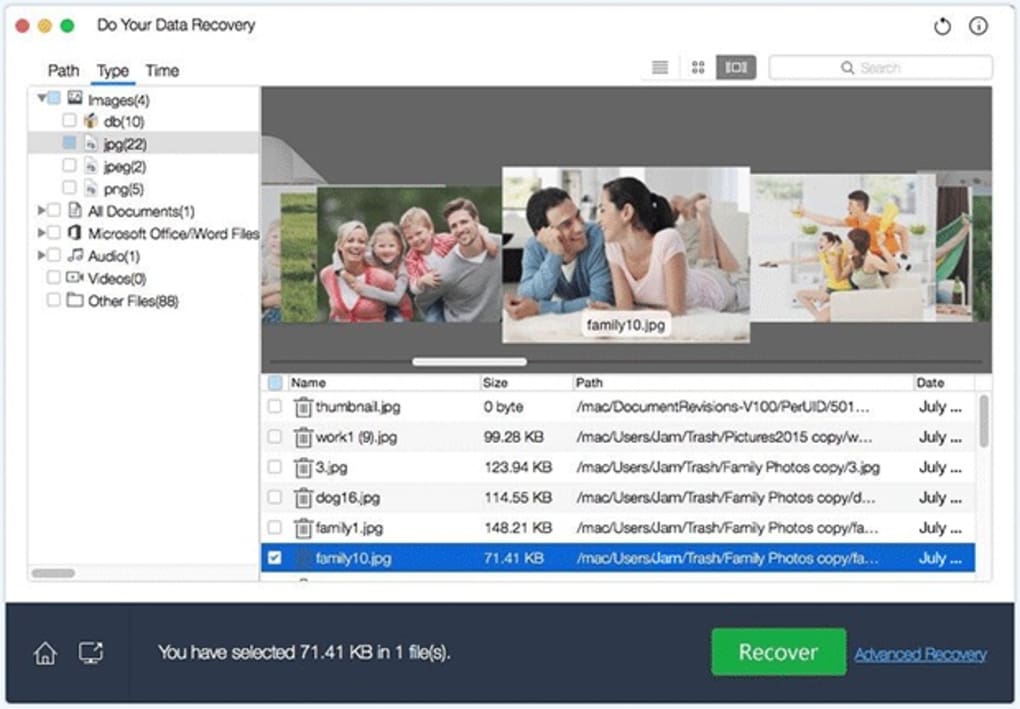
- Intuitive File Preview – Allows users to preview recovered files before restoration, helping verify content integrity and avoid unnecessary recovery of corrupted or unwanted data.
For example, a photographer can use the tool to recover images from a corrupted SD card after a camera malfunction. Similarly, a student might recover a lost research document from a USB drive that was mistakenly formatted. The software’s ability to handle multiple formats and file types makes it suitable for diverse data recovery needs. The recovery workflow is structured to minimize user error and maximize success rates, especially in cases where data has not been overwritten.
User Interface, Workflow & Performance
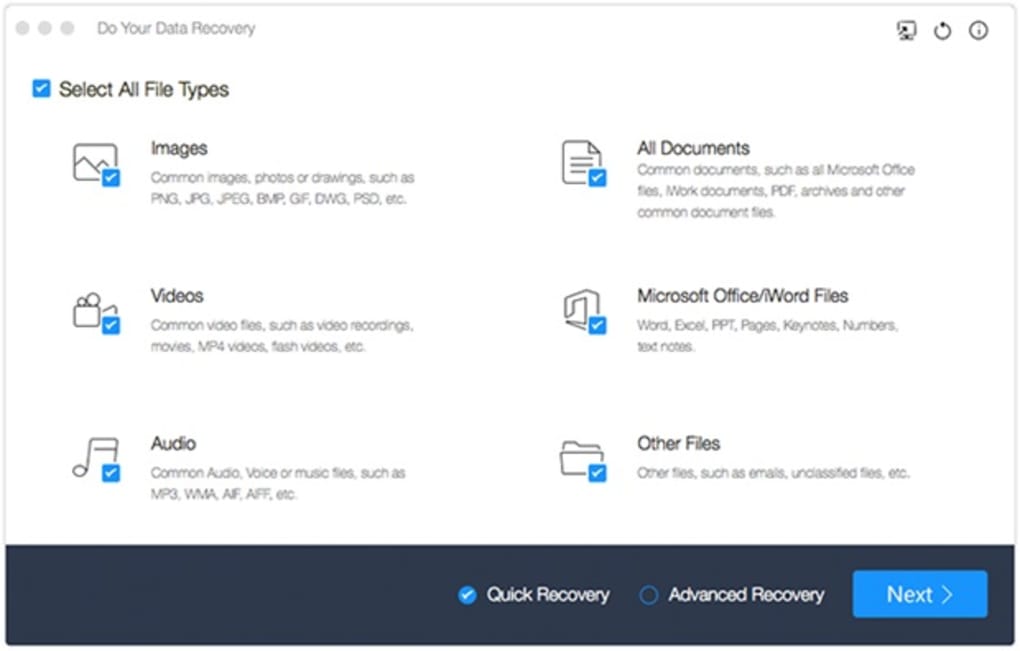
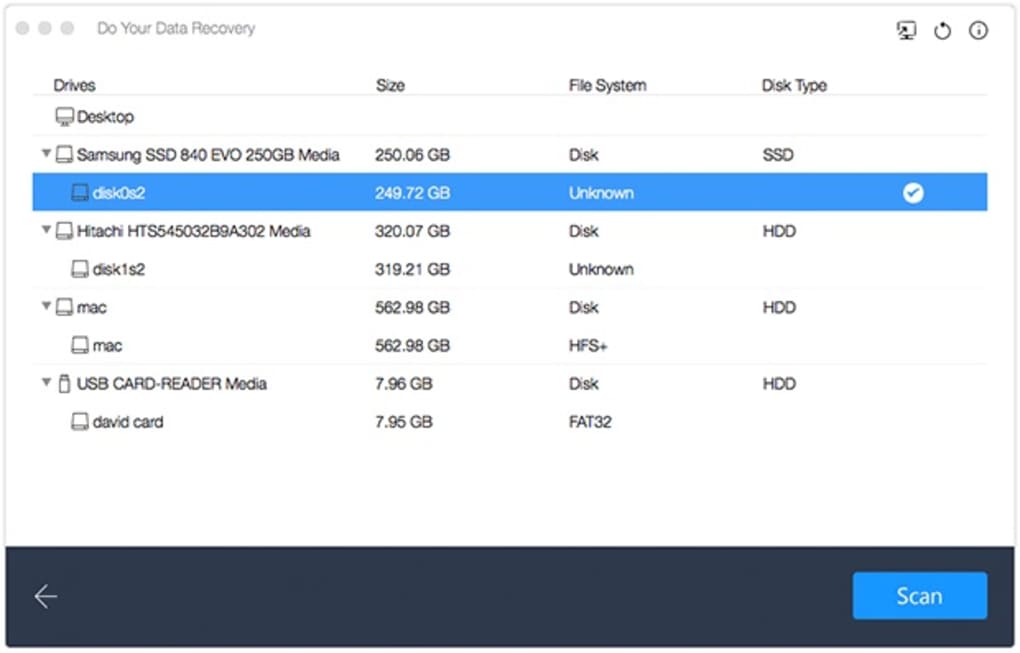
The user interface of DataRecoveryPro is structured around a clean, step-by-step recovery process. Navigation is designed to guide users through selecting the target drive, choosing a scan mode, reviewing results, and restoring files. The layout emphasizes clarity and simplicity, with labeled buttons and visual indicators to track progress.
Workflow efficiency is supported by features such as file preview and selective recovery, which reduce the time spent on restoring irrelevant or damaged files. The software operates as a desktop application, meaning it runs directly on the user’s machine without requiring internet connectivity during core operations. This enhances both privacy and performance in offline environments.
Performance observations are based on general software behavior patterns. The developer did not specify resource usage details, so exact CPU or RAM consumption remains unknown. Stability during extended scans is not documented, but the software’s design suggests it is built to handle large storage devices without immediate system crashes. The absence of real-time performance metrics means that user experience may vary depending on hardware and drive conditions.
Compatibility & System Requirements
DataRecoveryPro is compatible with both Windows and Mac operating systems. The software version is 2.3.1, with a file size of 128 MB, indicating a lightweight installation footprint. This suggests it is optimized for efficient deployment on systems with moderate resources.
Exact system requirements were not listed, so users should ensure their system meets general standards for running desktop applications. The developer did not provide information on minimum processor speed, RAM, or disk space beyond the installation size. Compatibility with older OS versions is not confirmed, and no specific hardware requirements were stated. Users are advised to verify system readiness before installation.
Pros and Cons
Pros
- Supports recovery from multiple storage devices including USB, SD card, memory card, and hard drive
- Designed for secure, local recovery without cloud uploads
- Intuitive interface with guided recovery workflow
- File preview feature enhances accuracy and reduces unnecessary restorations
- Lightweight installation at 128 MB
Cons
- Exact system requirements were not provided
- No information on performance under heavy load or long scans
- Resource usage (CPU/RAM) not disclosed
- Price point may be high for casual users
- Limited transparency about recovery success rates or technical processes
FAQ Section
Is DataRecoveryPro compatible with Windows and Mac?
Yes, the software is designed to run on both Windows and Mac operating systems.
Is the software safe to use for recovering sensitive files?
Yes, DataRecoveryPro performs all recovery operations locally on the user’s device without transmitting data to external servers, ensuring privacy and security.
Can I recover files from a formatted drive?
Yes, the software supports recovery from formatted drives, making it useful for cases where data was lost after accidental formatting.
Does the software require an internet connection?
The core recovery functions do not require an internet connection. However, updates or license verification may need online access.
What type of license does DataRecoveryPro use?
The software is available as a one-time purchase with a perpetual license. No subscription model is mentioned in the provided information.
Final Thoughts
DataRecoveryPro presents a focused, secure solution for users facing data loss across multiple storage media. Its ability to recover deleted files and data from formatted drives makes it a valuable tool for individuals and professionals alike. The intuitive interface and file preview functionality enhance usability, while the local processing ensures data privacy.
While the lack of detailed system requirements and performance data limits full transparency, the software’s lightweight footprint and multi-device support offer practical advantages. It is best suited for users who prioritize security, simplicity, and reliability in their recovery efforts.
For those who have experienced data loss and need a trustworthy desktop tool, DataRecoveryPro delivers a solid, no-frills approach to recovery. Download DataRecoveryPro now.







